Monday, May 20, 2013

Small Is Beautiful (Part 2)

In this series I am covering three trends that I really like in the world of document cameras. I like that...
  • document cameras are getting smaller (this post is part 2)
  • doc cams are turning colorful
  • high-definition is providing a crisp image viewing experience
This second posting continues our focus on the fascinating topic of small-form-factor document cameras


The small-form-factor document camera is a full-featured doc cam that meets some very important needs in classrooms today. It's not just a gimmick or a cool toy. Think about these important uses:
  • itinerant teachers moving from school to school, who can now easily take a document camera with them from school to school
  • traveling teachers and professors moving from classroom to classroom, who can now easily transport a document camera wherever they need it
  • teachers and professors with very limited desk, table, or cart space in classrooms; these new devices offer extremely small footprints, conserving scarce and valuable desktop real estate
  • teachers and professors with very limited work space in their homes or offices
  • teachers and professors who must travel light to present at conferences and seminars
  • an instant scanner, wherever you may be
  • for virtual office hours, wherever you may find yourself

When you think about it, small-form-factor document cameras suddenly make great sense. Gotta have one!

Monday, May 6, 2013

Small is Beautiful (1)

In this series I am hoping to cover three trends that I really like in the world of document cameras. I like that...
  • document cameras are getting smaller 
  • doc cams are turning colorful
  • high-definition is providing a crisp image viewing experience

Our first posting will focus on the fascinating topic of small-form-factor document camerasHere are the three best examples on the market:

The Elmo MO-1 Visual Presenter


Here is their Elmo website for some additional insight and information.


Please view this short video that will give you a better look at this tool.

The All-In-Learning Portable Document Camera

Here is their website for some additional insight and information.


Below please find a short video I took, in my simple effort to give you a better look at this tool.


The Hover Cam Mini 5 

Here is their Mini 5 website for some additional insight and information.


Last, below please find a short video I took, in my simple effort to give you a better look at this tool.


Monday, April 15, 2013

Grants, Contests, and More


It’s hard to muster your visual teaching kung fu without a document camera of your own! Use these opportunities to make things happen for your classroom. I will keep you posted as other companies step up to the plate for schools. Here are the only opportunities I can find for the Spring of 2013 to win or earn a document camera or other freebie for your school or classroom:

  1. ELMO Lesson Idea Contest (Contest extended through the end of April)
  2. Recordex Free Wireless Tablet Offer (for the cost of shipping, when you buy an entry-level document camera/one per school; use the promotion code SCE12 with any online retailer)
  3. Samsung Superhero Competition (Deadlines May 31 and November 30)
  4. Samsung Lesson Plan Contest (Deadline May 1)
For now, I want to give kudos to the companies above. But let’s just say that document camera companies should do much more than they are doing if they want to reach schools. Document camera companies should offer regular and creative contests, grants, and freebies to struggling schools. Once a school or department gets a successful implementation going, it is certain to spread. Sometimes they just need to prime the pump. 

Monday, April 1, 2013

Stop n' Go

Stop n' Go      Pas a Pas      Step by Step


Is this a type of document camera technology –or not? Is it a type of Doc-Casting –or not? Decide for yourself. 


And please consider two important points: 
  1. It's April Fool's Day.
  2. This is a real product. See their Pas a Pas website.


Monday, March 18, 2013

The Death of the Doc Cam


In our last post, we featured the appearance of the “iPad as document camera” phenomenon in the educational marketplace. At about the same time, a friend who works in the document camera industry wrote a disturbing thought to me: “You are witnessing the end of the document camera,” he declared. Is it that simple? Will the classroom document camera met a premature demise? Will iPads conquer the visualizer universe? 

I don’t think so

Here are ten reasons why:
  1. Document cameras can cost much less than an iPad.
  2. A longer warranty (5 years for a visualizer, 90+ days for an iPad or tablet)
  3. Interactive software features (and controls)
  4. Gooseneck/arm flexibility for the limited space on teachers’ desktops or tables.
  5. Compare the portability for traqelling teachers of an iPad mount with a small form factor visualizer: no contest.
  6. Built-in lamps—ease of auto-focus: Choose one.
  7. No charging—no battery life: Choose one.
  8. USB media storage slot or SD card slot or USB cable for saving: Choose one.
  9. Try hooking up a microscope adapter to an iPad.
  10. Why would I waste the capabilities of an iPad by dedicating it to mimic the functionality of an inexpensive dedicated doc cam? Sure, I have extra iPads to spare. 

Still, these new iPad mounts are fun. They are interesting. But they are not transformational in themselves. Frankly, I see it as another business idea, a “next-up” gimmick to find a creative way to make money from iPad accessories. And they might be just perfect for those educational settings that lack dedicated funding to do technology in the right way. These mounts are nice tools for the creative few who must have them. They will colonize a few classrooms, but I don’t see this accessory conquering the classroom universe at either the university or K-12 level. After speaking with many dozens of teachers about this, I am now sure. Most teachers don't want to use their limited stock of precious iPads in this dedicated way. It makes no sense to them.

Incidentally, whether you use a document camera or a mounted iPad for visual teaching and learning, the ideas, strategies, and techniques highlighted in my Digital Shapeshifter book will apply richly to both.

Monday, March 4, 2013

iPads as Doc Cams


The newest craze in document cameras at the FETC and TCEA conferences this year is the attempt to turn the iPad into a document camera. Some of the products I found on the exhibit floor included those featured throughout this page. As you can see, they come in every imaginable size, shape, and color.

One of the products, produced by Belkin, come with an app to give document camera software functionality to the concept. Max Cases also offered an interesting table-grip approach. 

What do you make of this trend? Will it last? For now, just take a look at this interesting phenomenon. I will comment on the relevance of this development in a future post after I interview lots and lots of teachers about the concept.

(Note: I have completed my extensive teacher interviews and have posted the results here.)


Monday, February 18, 2013

2013 Super List


2013 List of Visualizer Manufacturers

Here’s my comprehensive list of all known visualizers on the market. (If you see one missing, please leave a comment below.) Use this list for purposes of product evaluation, comparing features, bidding, and identifying RFP resources for your classroom document camera needs:

Top Manufacturers in K-20 settings (in alphabetic order)
Pathway Innovations      http://www.thehovercam.com
Samsung Techwin: http://www.samcam860.com/

Other Notable Manufacturers (in alphabetic order)

Monday, February 4, 2013

Lights, Camera, Action!


Teachers who want to use classroom document cameras well must master some of these indispensable lighting secrets:

Document Camera Lamps Matter
  • Don’t be afraid to use the built-in lamp on your document camera for fear of bulb replacement. These LED lights typically have a 60,000 hour life!
  • Sometimes artifacts or documents, due to their color and ambient room lighting, look better when you turn on the document camera’s LED lamp; sometimes items look better if the lamp is on, but room lights are dimmed. To find the best and sharpest image, try different combinations.


Room Lights Matter
Most classrooms today were built in the last century. Even classrooms in new schools were built by architects born in the last century. Most ceiling lighting is placed in rooms by architects based on canned lighting formulas. Enter the modern age of document cameras, and sometimes ceiling lights mess your display up: with the lights on, your visual display loses colors or fades unnaturally; with the lights off, the visuals are fine, but students cannot take notes or complete supportive desk work. Some common solutions include:
  • Turn off the bank of lights closest to the display screen or document camera to prevent white out or color bleeding
  • Purchase a lamp for the back of your room that enables you to turn off al lights, and student can still see their desk activities
  • Use various combinations of room lighting and document camera lamps to produce the best instructional results.


Tables Matter
  • Test and compare different display surfaces to ensure the best and sharpest display possible. (Some wood-grained display tables, and even gray-topped tables, can cause document cameras to have problems. Images can be slightly out of focus or not as bright and sharp as desired.)
  • Better display results are always achieved when I layer the teaching display surface with a mat, construction paper, or other contrasting flat background.  Experiment to find the best solution.

Monday, January 21, 2013

A VIZ Word Cloud (2012 Edition)


Here’s a graphic word cloud of all the key words used in our Future-Talk VIZ blog during the year 2012.  The more the word is found, the larger it appears in this word cloud. 
(Click on the graphic to enlarge it or HERE to play with it.)

It’s quite interesting to visualize, in this way, the recurring themes and concepts that have emerged from Future-Talk VIZ this last year. It’s like putting your fingers on the pulse of what’s happening with visual educational strategies—and taking a read.

Monday, January 7, 2013

VIZ Worldview


Добрый день         Bom dia           مرحبا         こんにちは  Bienvenidos       


The Future-Talk VIZ blog serves a diverse international audience. Our readers might be interested in seeing which countries were our top ten blog visitors during 2012. Based on web impressions for the 2012 calendar year, here is how the data shape up:

Are there any surprises here? Or are these just “the usual suspects?” What do you think? Please comment.


Of course, this chart only represents the top ten. Many hundreds of other visitors have frequented this blog from countries all over the world. I want to thank you for your deep and committed interest in visualizers in education. Please write me, let me know what you are doing in your country. I would love to feature some interviews in 2013.


[Special Note: We have many visitors from Latin and South America, and I offer you a heartfelt ¡Gracias! -- Estoy a la espera de viajar a Belize y México y Florida (FETC) en enero (2013), por lo que si le gustaría juntarnos para algún café y conversación, envíe un correo electrónico me.]


Monday, December 17, 2012

Best of Future-Talk VIZ


number 2 Zero Spelling Bricks green number 1 Wooden Bingo Number 2

It’s been a thriving year for the Future-Talk VIZ blog. As the year comes to an end, it is fitting to reflect on the most popular topical posts of 2012.  The top ten topical posts are presented below, in order of web impressions received:

Jan 16, 2012
Sep 17, 2012
Aug 6, 2012
Dec 26, 2011
Apr 30, 2012
Apr 16, 2012
Jul 9, 2012
Oct 15, 2012
Apr 2, 2012
Jan 9, 2012

Actually, it’s quite thought provoking to speculate as to why these particular topics were “top of mind” in 2012 for the diverse international audience that regularly follows this blog. Please let us know your hypothesis or thinking by posting a short comment.

Monday, December 3, 2012

On the Road Again

I’m doing quite a bit of presenting this year on how to best employ Document Cameras in transformative teaching and learning. Here is a current list showing my speaking schedule, in case you are interested in attending. If you are in the vicinity, it’s also always a good excuse for an opportunity to meet, have some conversation, and practice our Donkey Cam Kung Fu.

Conference
Location and Date
Topic(s)
FETC
Orlando, FL
January 31
·         Get Your Donkey Cam Kung Black Belt (2 Hour workshop)
TCEA
Campus Leaders’ Academy
Austin, TX
February 4-8
·         Cultivate Your Donkey Cam Kung Fu
Tech Forum
Atlanta
March 1
·         Cultivate Your Donkey Cam Kung Fu
Detroit, MI
Cobo Center
March 20-22
·         Cultivate Your Donkey Cam Kung Fu
Colorado TIE 2013
Copper Mt., CO
June  (tba)
·         Visualize This! What’s New and Good to Know about Document Cameras in the Classroom

Monday, November 19, 2012

There's an App for That


Something definitively new has arrived on the document camera scene. It’s the EduCam Classroom Viewer App. EduCam broadcasts live images from a Ken-A-Vision FlexCam USB document camera or microscope to a classroom set of mobile devices. This app supports 1:1 viewing, capturing, annotating, and sharing of document camera images. Students can even complete and submit assignments digitally for immediate assessment. It supports both Android-based devices or iPads.
  • You can read more about the EduCam app for the iPad here and the Android OS here.
  • For a technical video on exactly how the EduCam App is set up, click here

Monday, November 5, 2012

Twist and Shout

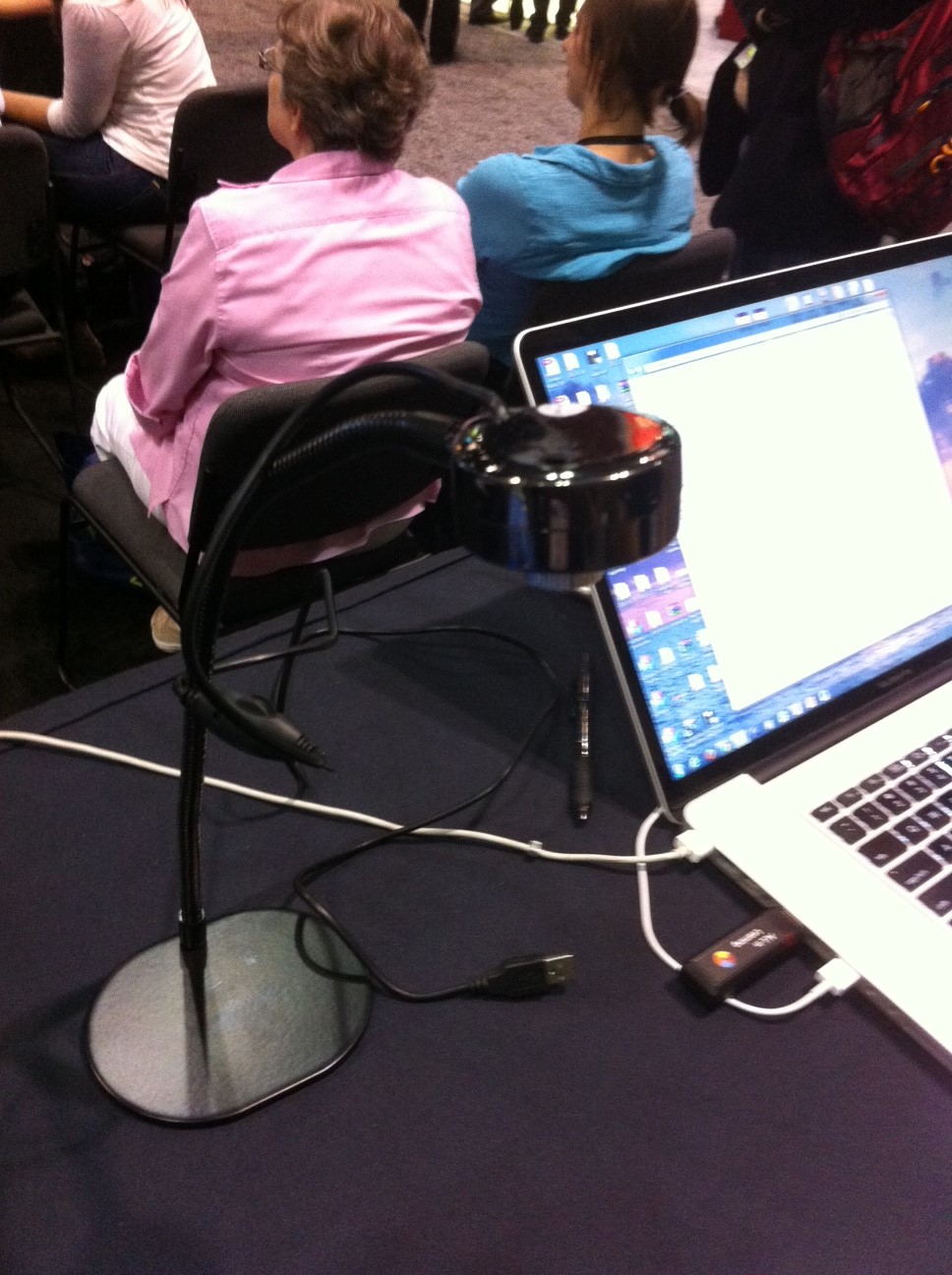
At a recent technology conference I ran into another document camera product that appeared newly on the scene: Luna.
The Luna Twist

Luna manufactures the Twist flexible digital microscope. The Twist is a small document camera/microscope on steroids, with some interesting classroom-centric features, such as measurement and recording software.

The gooseneck Luna I lovingly call 'Shout'


This manufacturer also produces a petite gooseneck document camera. I call this little document camera “Shout” because the vendor was shouting its praises at the tech conference.

It appears that the Luna products are only available through a few resellers. One of those resellers is Learning Services, a reliable company with which I have had years of positive purchasing and customer service experience. You can learn more about the Twist here. You can learn more about the small gooseneck Luna visualizer here. Twist and Shout.

Twist and Shout, side by side
at the conference booth
Now, I have searched the web and cannot find out much about the manufacturer of Luna. It’s a mystery. Perhaps someone can post a comment below with more follow up information for all of us. It would be nice to get more detailed spec sheets from the manufacturer to post here. Be it as it may, Luna is another interesting player on the educational document camera scene.